
What Is The Honda A12 Service?
No matter what make or model your vehicle is, it will require servicing throughout its life. How manufacturers remind vehicle owners of the services that are due has changed over the years. In the past, service facilities would install stickers on the upper left-hand corner of the windshield, on the door jams, or in the engine bay to tell us when our cars needed their next service. Later, manufacturers developed maintenance indicator lights that would illuminate every 5,000 miles or so.
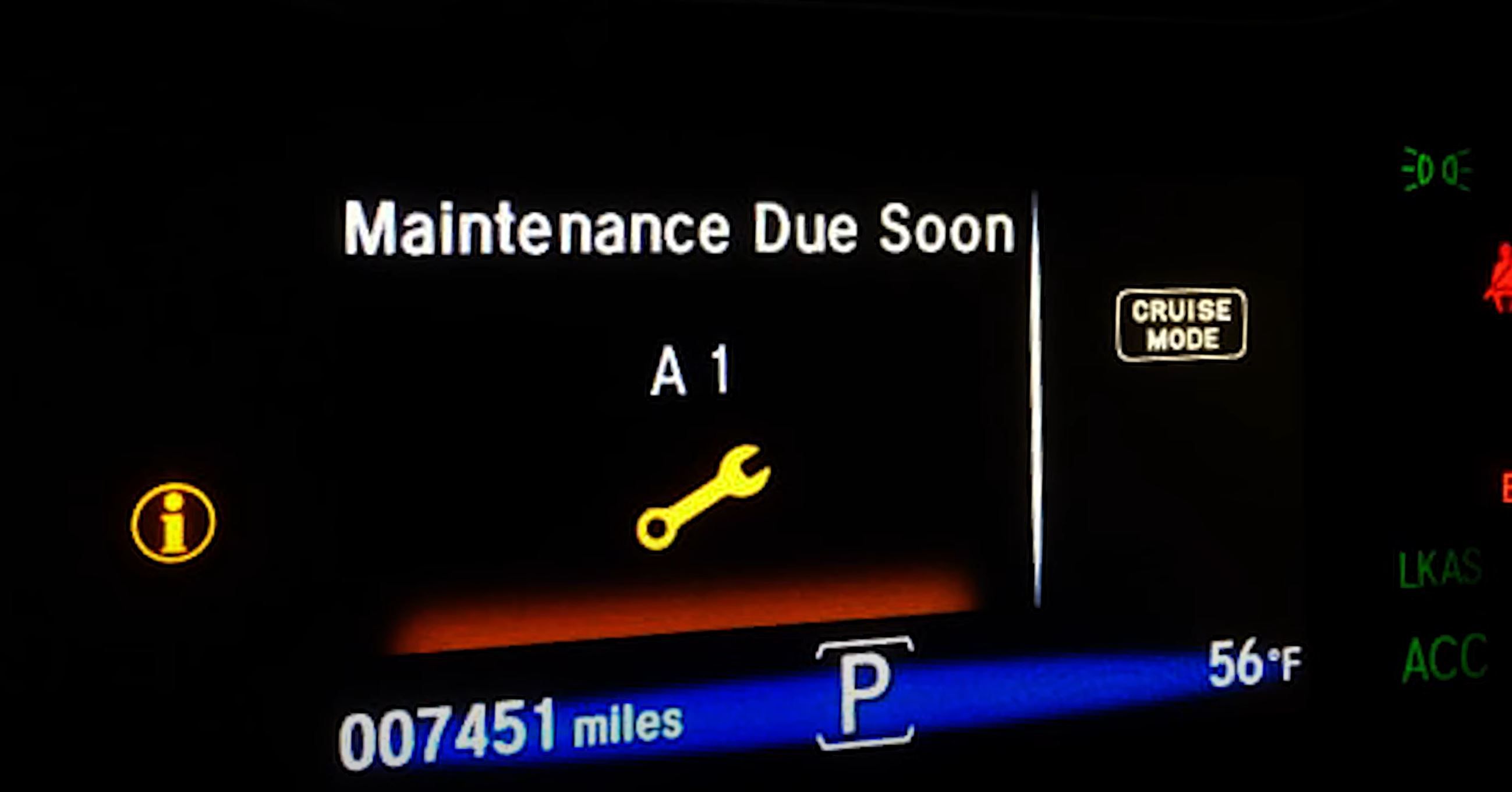
Today, manufacturers such as Honda have implemented their own specific reminder systems. Honda uses service codes to indicate which service is due. One of the most commonly reported service codes is the Honda maintenance A12 code. Seeing the ‘service due soon A12 code’ serves as a reminder that your vehicle needs routine maintenance. This code can be set by any of Honda’s models that utilize the ‘Maintenance Minder’ system. So, whether you have a Civic, CR-V, Accord, Ridgeline, HR-V, Pilot, or Odyssey, you may see the A12 service code at one time or another.
How Honda ‘Codes’ The Services
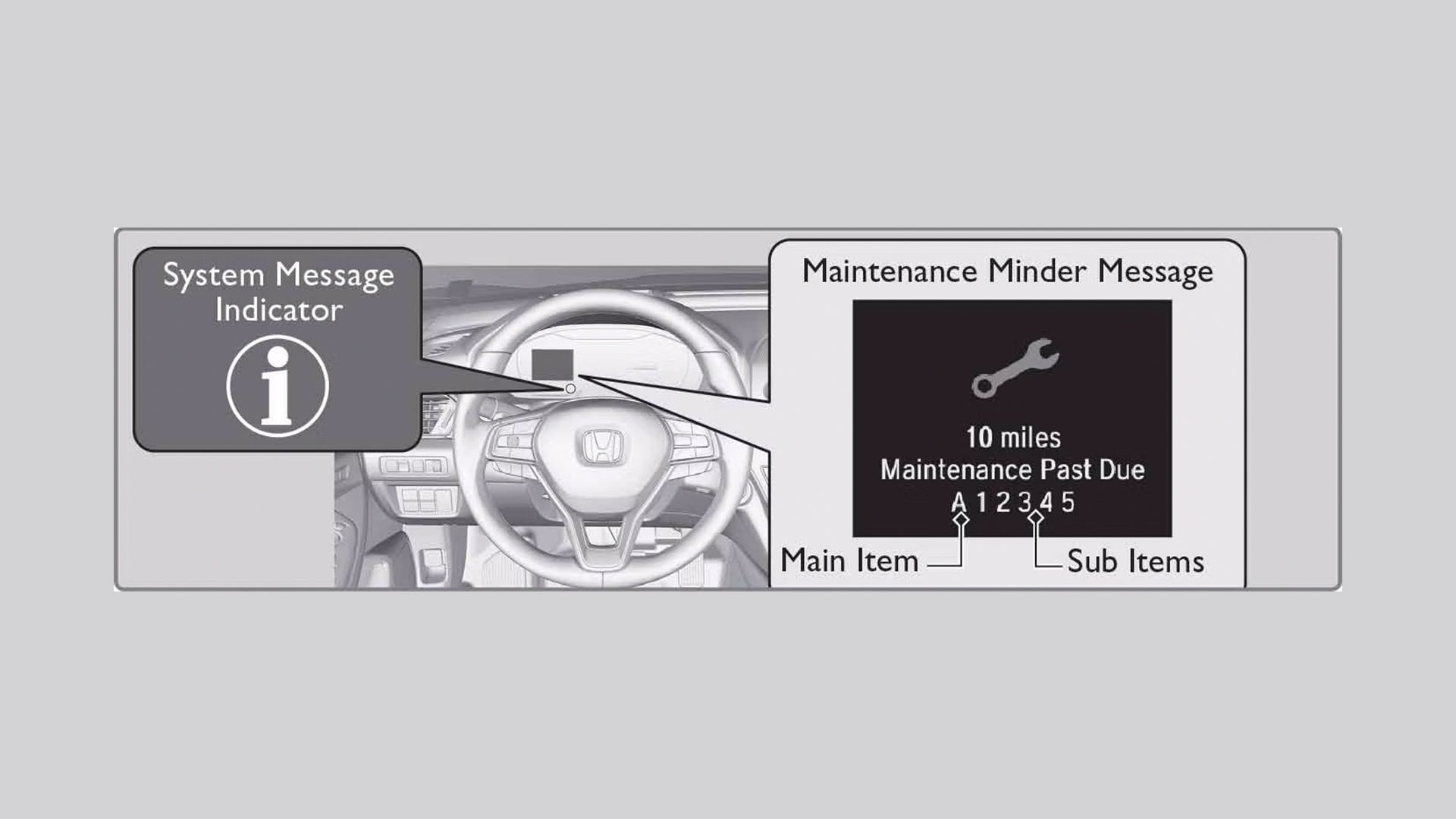
Honda has created a unique system that is fairly easy to decipher. It starts with the letter designations ‘A’ and ‘B’, which indicate main service items. Following the letter designations are numbers. The numbers (between 1 and 6) represent sub-services.
Main Services
|
Service Type |
Service Description |
|---|---|
|
A |
Engine oil should be replaced without oil filter. |
|
B |
Engine oil and oil filter should be replaced. Additional services and inspections should be performed. |
Sub Services
|
Service Number |
Service Description |
|---|---|
|
1 |
Rotate tires, set tire pressures, and inspect tire condition. |
|
2 |
Replace the engine air filter, inspect the accessory drive belt, and replace the pollen/cabin air filter. |
|
3 |
Replace transmission fluid and transfer case fluid (if equipped). |
|
4 |
Replace spark plugs, inspect/adjust valve clearance (if noisy), replace the timing belt (if equipped), and inspect/replace the water pump. |
|
5 |
Replace engine coolant. |
|
6 |
Replace rear differential fluid (if equipped). |
Any combination of numbers can be used, such as an ‘A 125’ service.
 Service Intervals
Service intervals are extremely important to pay attention to. Ensuring your vehicle receives the correct service when it’s due will likely extend its reliability and life. Honda, like most manufacturers, has service intervals pre-programmed into the vehicle’s Powertrain Control Module (PCM). The following is a list of service time/distance intervals:
- Engine oil – 10,000 miles or once per year
- Tire rotation – 5,000 miles
- Engine air filter – 15,000 miles
- Pollen/cabin filter – 15,000 miles
- Transmission fluid – 120,000 miles* unless the vehicle is used for towing. If the vehicle is used for towing, the fluid should be changed every 2 years or 30,000 miles.
- Spark plugs – 110,000 miles
- Engine coolant – 120,000 miles
- Differential fluid – 60,000 miles
When your Honda has accrued the mileage programmed for the interval, the corresponding service code(s) will be set.
 The A12 Service
Using Honda’s service coding system above, we can break down what the A12 service requires:
A – Engine oil replacement, without oil filter.
1 – Rotate tires, adjust tire pressure, and inspect the tire(s) condition.
2 – Replace the air cleaner element, inspect the drive belt, and replace the cabin/pollen air filter.
Any combination of numbers can be used, such as an ‘A125’ service.

Related
Honda Has Lowest Total Cost Of Service In The US
Hyundai, Buick, and Toyota also put in strong showings.
Performing The A12 Service
Now that we know what the code means, we can perform the required service.
The A12 service can be done with the following tools:
- A basic set of hand tools consisting of assorted wrenches and sockets.
- Oil filter wrench
- Torque wrench
- Floor jack and jack stands
Changing The Engine Oil
Some of the steps to change the oil change are:
- Remove the oil fill cap.
- Raise and support the vehicle on jack stands.
- Remove the engine oil drain plug.
- Remove and replace the oil filter*
- Replace the drain plug gasket.
- Reinstall the drain plug. (torque to proper spec)
- Add engine oil.
Although the ‘A’ service does not require changing the oil filter, we always recommend doing this.
Tire Rotation
Some of the steps to performing a tire rotation are:
- Loosen wheel lug nuts.
- Raise and support the vehicle on jack stands.
- Remove lug nuts and wheels.
- Rotate tires according to the procedure in the owner’s manual.
- Install wheels and lug nuts.
- Lower vehicle.
- Torque lug nuts to correct specification.
Most manufacturers recommend a ‘front to back, back to front’ tire rotation. This is to accommodate ‘directional’ tires.
Drive Belt Inspection
Inspecting the drive belt usually only entails a visual inspection. Check your drive belt for cracks and tears. If the drive belt shows signs of wear, replace it.

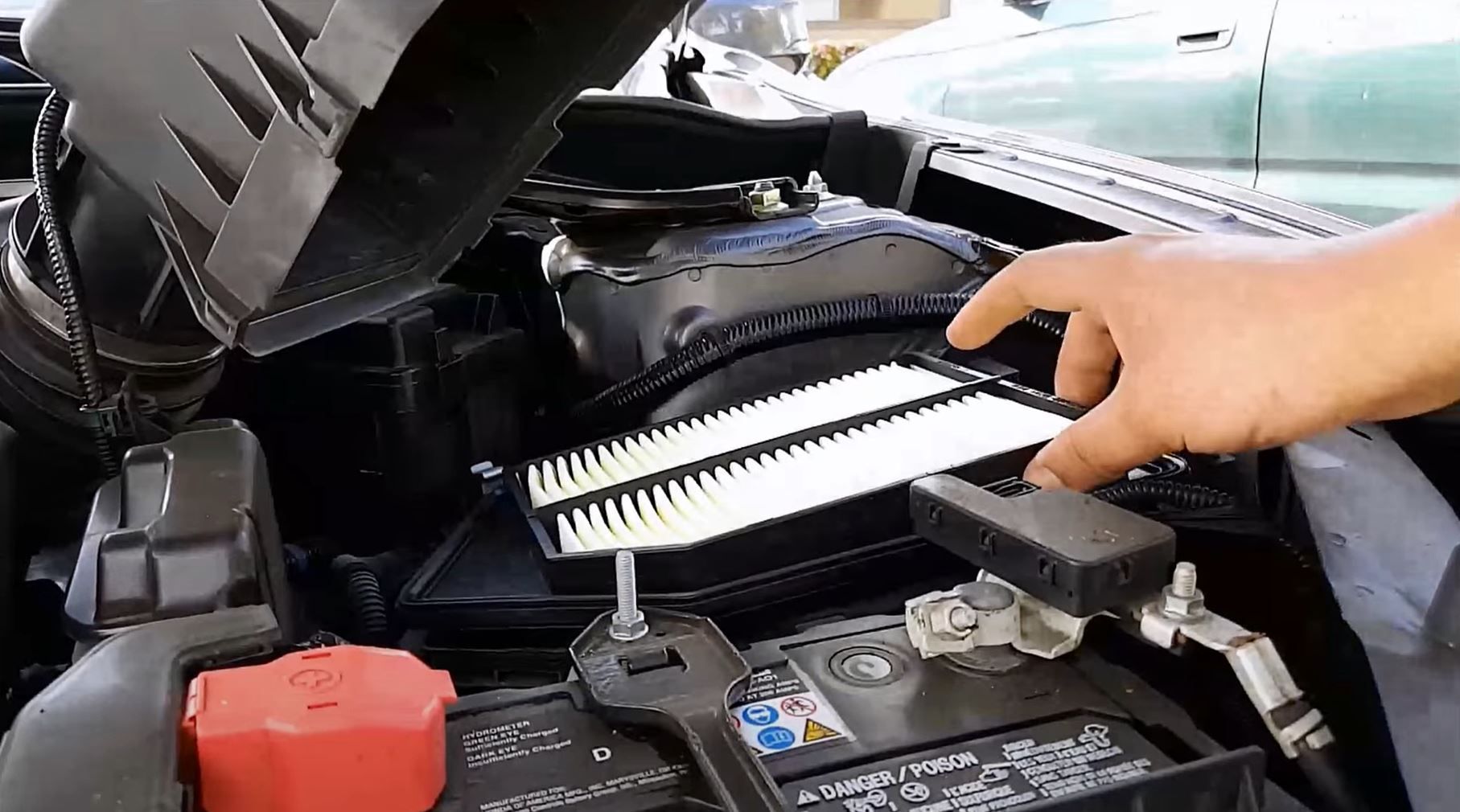
Engine Air Filter Replacement
Replacing an engine air filter is fairly straightforward:
- Open the hood to gain access to the engine.
- Remove the air cleaner cover.
- Replace the air filter.
- Reinstall the air cleaner cover.
Pollen/Cabin Air Filter Replacement
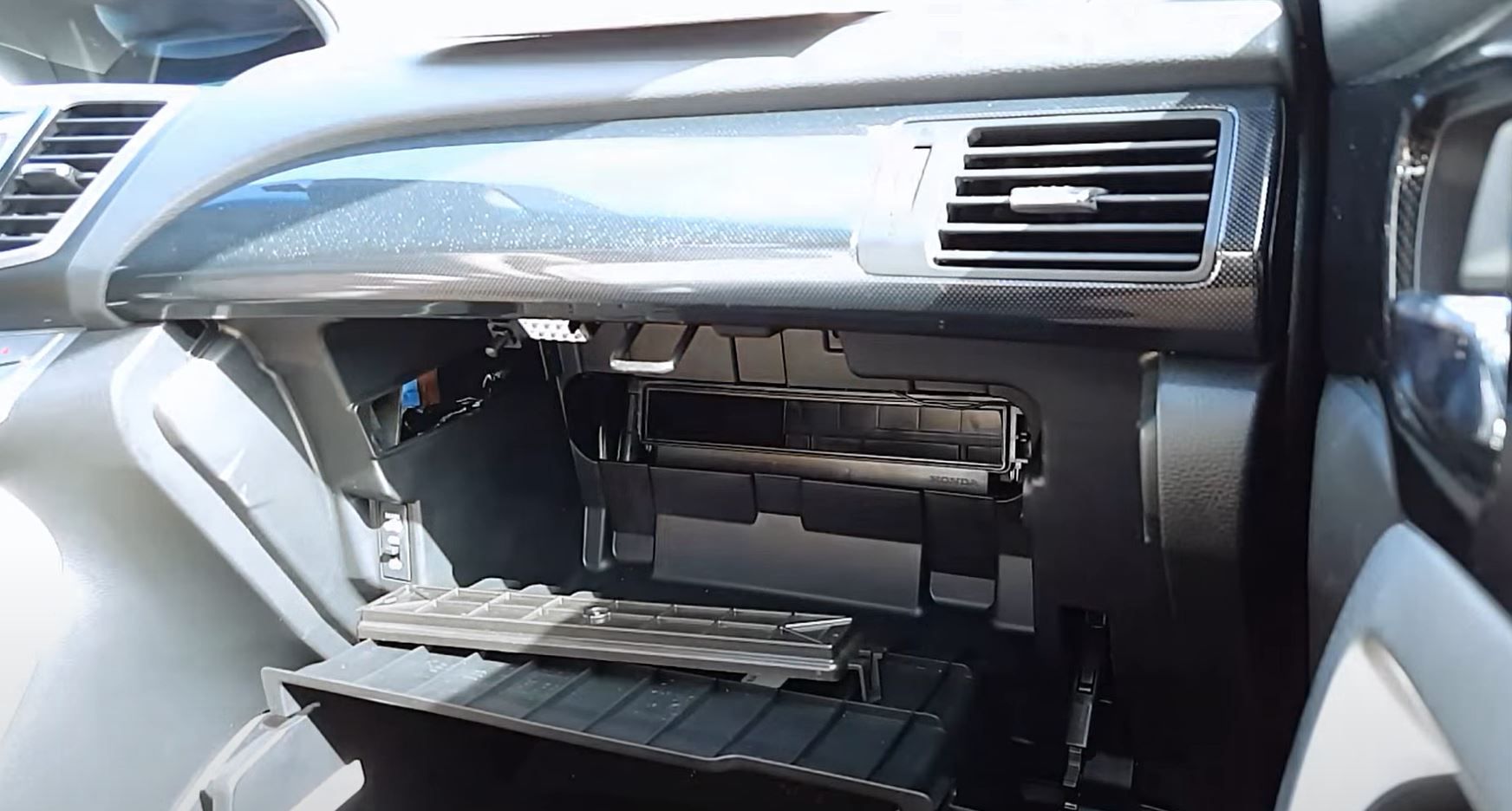
In most Hondas, the cabin filter is located behind the glove box. Follow these steps:
- Open the glove box.
- Detach the glove box damper hook.
- Release the glove box ‘stops’ by pressing them inward. Let the glove box ‘hang’.
- Remove the air filter lid.
- Replace the air filter.
- Reinstall the lid.
- Attach glove box damper
Resetting The Maintenance Reminder
After your service has been done, you’ll need to reset the reminder to remove the code. Sometimes, repair shops forget to reset the ‘Maintenance Minder’ system after doing a service. If you recently had your Honda serviced and the ‘A12’ code appears on your information display, you may only need to reset the reminder.
To reset the maintenance reminder, follow these steps:
- Turn the Key ON (Engine OFF)
- On the left side of the steering wheel is a button that controls the menu screens. Press the button until the engine oil life indicator is displayed.
- Press and hold the ‘Enter’ button until the maintenance reset page is displayed.